Ask more useful questions
Choose from visits, occupancy, no-shows, deliveries and device availability. Narrow the view by dates, building, host or status to focus on the activity that matters to your team.
FOR WORKPLACE MANAGERS
Knowing who is on site is useful in the moment. Being able to review visit activity is useful long after. Safe-In combines an operational overview with reporting tools, so the records your team collects can support the way you manage your workplace.
Choose from visits, occupancy, no-shows, deliveries and device availability. Narrow the view by dates, building, host or status to focus on the activity that matters to your team.
Use Export CSV for further analysis or Print / PDF when you need a shareable view. Your visitor records can support a review without being copied by hand.
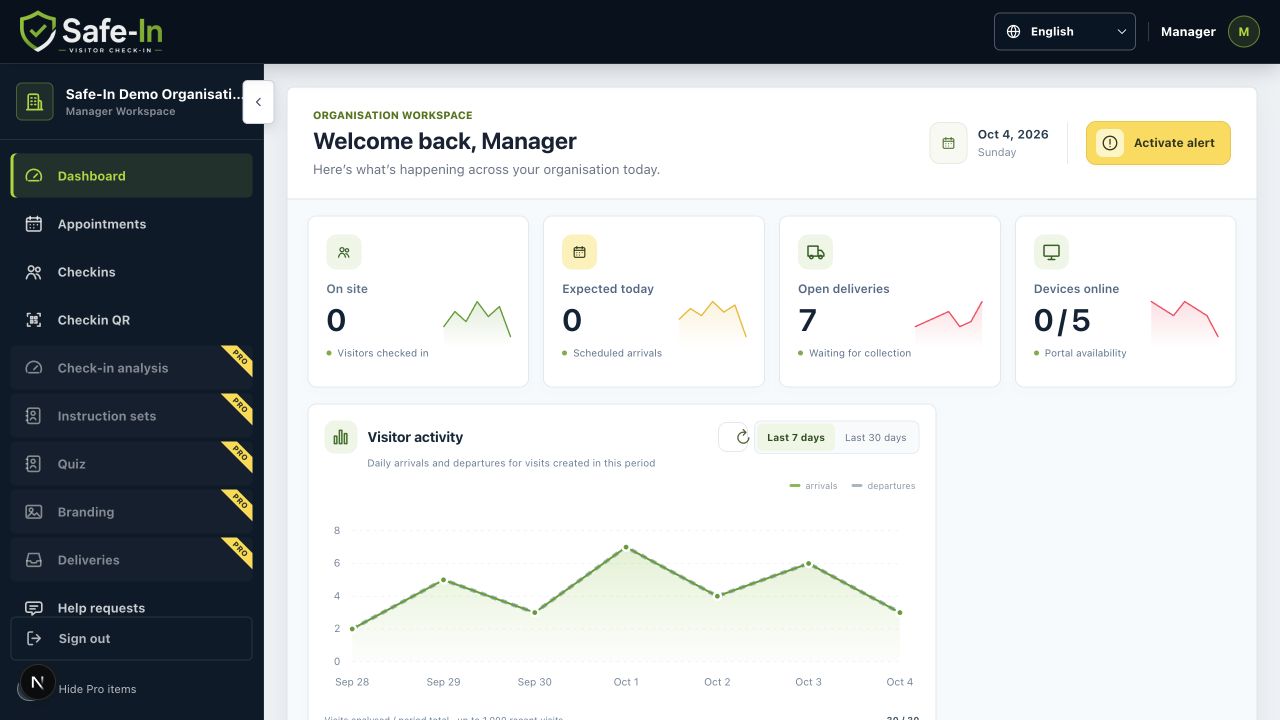
Reporting sits alongside appointments, buildings, devices and the visitor dashboard. Managers can move from the wider picture to the operational context in the same app.
ACTUAL SAFE-IN SCREEN
WHAT THIS MEANS FOR YOUR DAY
Safe-In helps you start with a specific question and find the relevant records, rather than working through a visitor book page by page.
Select the report that matches the question: visits, occupancy, deliveries, no-shows or device availability.
Apply the date, building, host and status filters that are relevant to your review.
Review the records in the app, export a CSV or use the print/PDF option.
A MORE CONNECTED WAY TO WORK
| With a disconnected process | With Safe-In |
|---|---|
| A visitor book needs to be searched manually. | Report filters help narrow the records to a relevant period or building. |
| A spreadsheet requires another round of data entry. | CSV export makes the available report data reusable. |
| Daily operations and reporting live in separate places. | The dashboard and reporting tools share the Safe-In workspace. |
A FEW USEFUL DETAILS
The reporting interface offers visits, occupancy, no-shows, deliveries and device availability, with date, building, host and status controls.
The report screen includes Export CSV and Print / PDF controls. Access and available data depend on your role and organisation.
Yes. Building and host controls let you narrow the report alongside the date and status filters, so a review can focus on the activity relevant to your team.
FOR YOUR VISITORS
Discover how Safe-In connects visitor invitations and digital check-in for a more organised, professional arrival.
Explore the benefitsFOR YOUR RECEPTION TEAM
See how Safe-In brings expected visitors, on-site activity and deliveries together to help reception stay organised.
Explore the benefitsMAKE THE NEXT VISIT A BETTER ONE
Bring your visitor welcome, reception work and oversight into one connected process.